PC Checkup
A plain-English overview of what actually needs attention.
Windows 10/11 x64
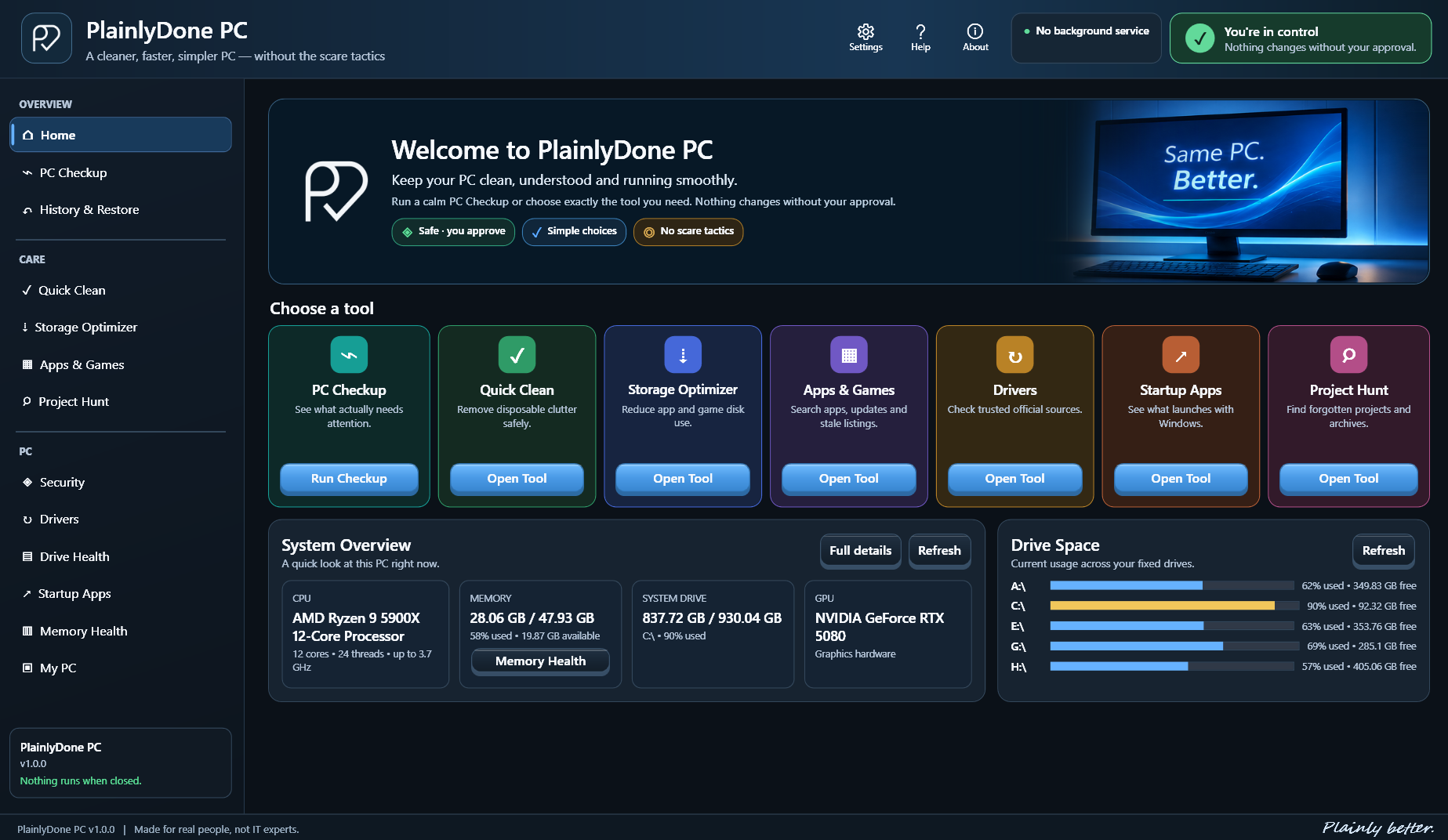
Same PC. Better.
A straightforward Windows utility that helps you clean clutter, manage installed apps, reclaim storage, check your PC, and undo supported changes — without fake warnings or mystery fixes.
Useful by design
Tools for understanding and maintaining your Windows PC, with conservative defaults and clear approval before changes.
A plain-English overview of what actually needs attention.
Conservative cleanup focused on disposable clutter.
Reclaims disk space from suitable apps and games using Windows XPRESS8K transparent compression. Apps remain usable, and supported changes can be restored.
Search software, see update information, launch registered uninstallers, and safely remove a confirmed stale Installed Apps listing after backup.
See supported PlainlyDone changes and restore them when recovery is available.
View and manage what launches with Windows.
Identifies hardware and points to Windows or official vendor sources. It does not silently install drivers.
Focused views help you review Windows security status and understand the health of your drives.
Review memory health and see useful information about your Windows PC in one place.
Built to earn your trust
No invented problem counts, mystery fixes, or permanent elevation. PlainlyDone PC is designed to be understandable before it is powerful.
A clear view of your PC
Explore the real PlainlyDone PC interface. Open any screenshot for a full-resolution view.
A clear overview of your PC and PlainlyDone's main tools.
See what needs attention without fake warnings or inflated problem counts.
See potential storage savings before making a change.
Search installed software, manage apps, and identify stale Windows listings.
Review supported changes and restore them when a recovery option is available.
Identify hardware and find updates through Windows and official manufacturer sources.
Simple ownership
Regularly $14.99
Not yet available for purchase. Microsoft Store release is coming soon.
Questions, answered
No. It does not perform broad registry-cleaning scans. It can remove a specific confirmed stale Installed Apps record after backing it up.
No. There is no persistent PlainlyDone background service.
No. PlainlyDone PC is planned as a one-time purchase.
The planned Microsoft Store release includes a 7-day full-feature trial.
Supported operations appear in History & Restore when recovery is available.
Most of PlainlyDone runs normally. Windows requires admin approval for some user-requested operations involving protected locations or machine-wide records.
No. It identifies hardware and uses Windows or official vendor sources.
PlainlyDone Studios does not use telemetry or analytics in PlainlyDone PC. Local settings, history, and logs remain on the PC unless you choose to share something for support.
Windows 10 and Windows 11 on x64 PCs.